
Integrate HOS Reporter Plus ELD with Highway
You can connect your HOS Reporter Plus ELD with Highway through our hosting provider, Apollo ELD.
Step 1: Get your API Key
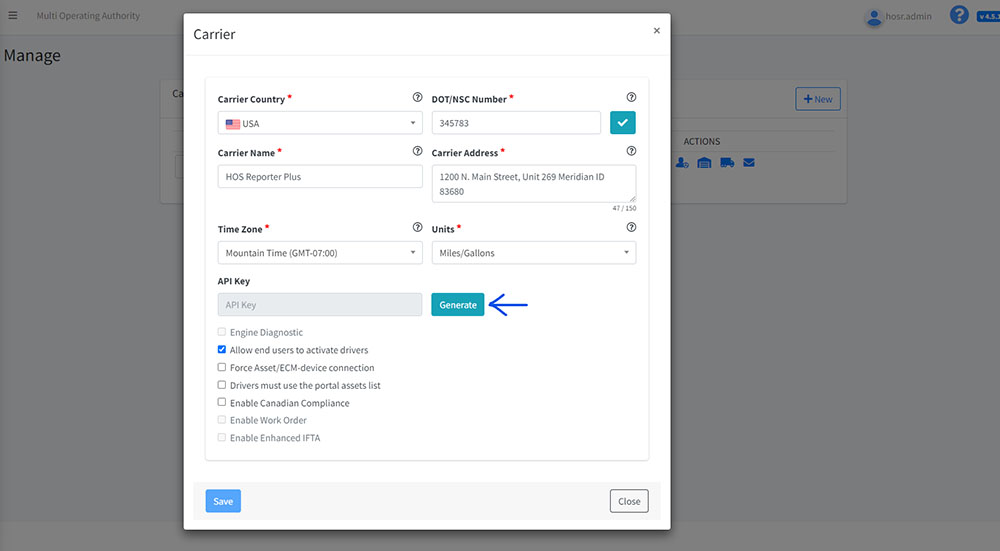
When logged into your portal, click on the first icon under "ACTIONS" over to the right. This is the details link. This would open a new window showing your carrier information.
Towards the bottom of that Carrier Information window, you would see a field that says, "API Key". Click "Generate" and copy the API key that is presented. Please also ensure to save the settings before exiting otherwise the new API key would not be saved and you would have to repeat the process.
Attached is a snapshot of the details page for your reference.
Step 2: Highway Integration Process
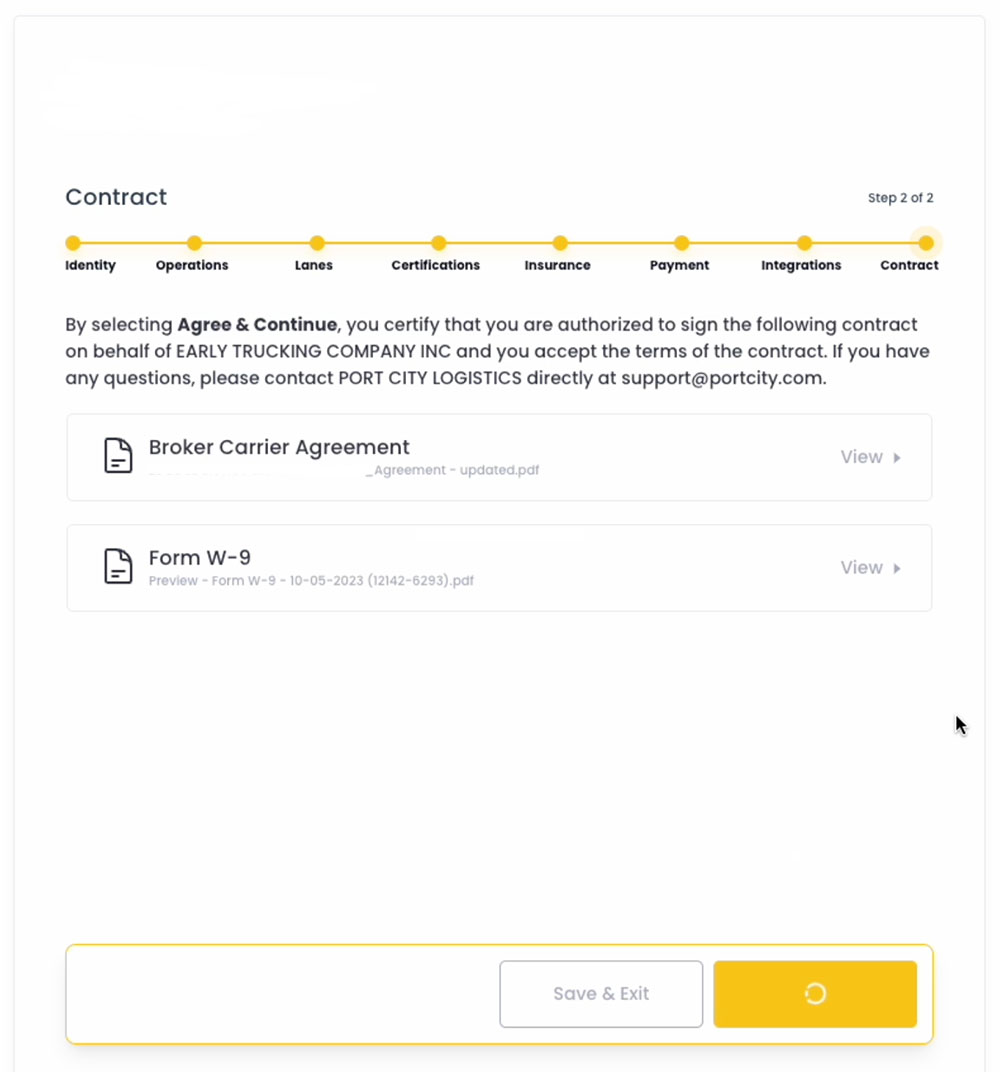
To begin, customers will navigate through the enrollment process with Highway itself. After filling out the page below, they will be directed to the segment of the process through which they will integrate with their Apollo account.
On the next screen, the customer will type in “Apollo ELD”
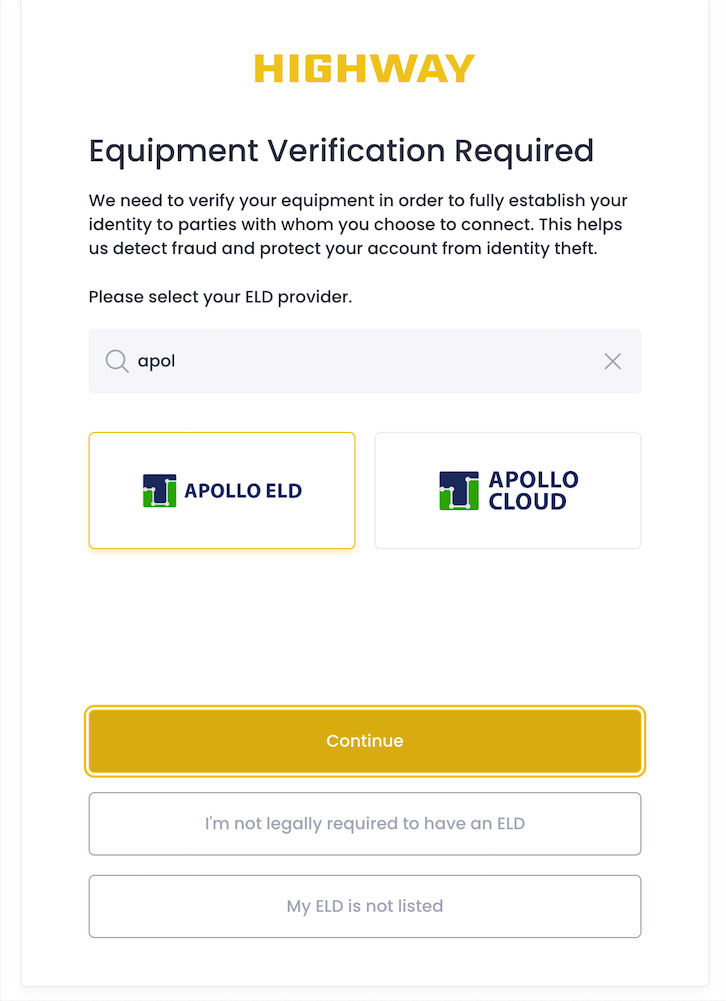
After selecting the appropriate Apollo ELD option, the customer will need to input their account’s unique API key which they generated from their Carrier settings on their HOS Reporter Plus account.

After inputting the key, the brokers requirements will be passed fairly instantaneously if the following is received by the Highway system:
- Valid API Key connected to a valid Apollo account
- The presence of at least 1 truck on the account
- Recent movement (any movement in the past 7 days) by at least 1 truck on the account
If the above criteria are met, the carrier will meet the broker's requirements and this would conclude the integration process.
If you experience any issues during the integration process, please request that they reach out to [email protected] for assistance.